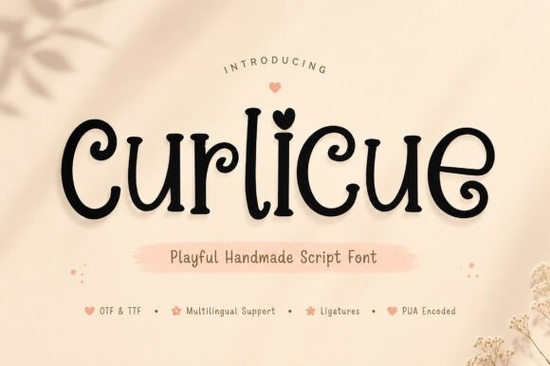
If you're looking for a script font that feels genuinely hand-drawn full of bounce, charm, and quiet confidence Curlicue Font is worth your time. It’s not overly polished or rigid; instead, it leans into imperfection with soft curves, gentle swashes, and subtle variations that mimic real pen-on-paper movement. That makes it especially well-suited for creatives who want typography that breathes whether you’re designing greeting cards for a local stationery shop, labeling handmade soap bottles, or building a cozy Instagram feed for your small craft business.
What kind of projects does Curlicue work best for?
Because of its warm, organic energy, Curlicue shines in contexts where personality matters more than precision. Think: baby shower invitations with watercolor backgrounds, sticker sheets for bullet journals, boutique packaging labels, or even playful social media graphics for a café or florist. It’s also popular among print-on-demand sellers using platforms like Etsy or Redbubble especially for designs targeting parents, teachers, or anyone drawn to gentle, nostalgic aesthetics.
You’ll notice right away how the letterforms flow together. The included ligatures and alternate characters help avoid repetition, so “hello” doesn’t look identical every time you type it a small but meaningful detail when you’re aiming for authenticity. Unlike some script fonts that rely heavily on tight connections or dramatic flourishes, Curlicue keeps things approachable. Its lowercase ‘g’, ‘y’, and ‘j’ have just enough curl to feel intentional, not fussy.
How does it compare to other friendly script fonts?
If you’ve used Ordinary Summer Font, you’ll recognize a similar relaxed vibe but Curlicue leans more into whimsy and softness, while Ordinary Summer has a slightly bolder, sunnier rhythm. For contrast, Baseball Handwriting Font brings sporty energy and casual confidence, whereas Curlicue feels quieter and more intimate. If you love the delicate charm of Mafuinka Font, you’ll appreciate how Curlicue shares that hand-lettered texture but adds extra bounce in the ascenders and descenders. And if you enjoy the conversational tone of Friends Font, you’ll find Curlicue equally easy to pair with clean sans-serifs or textured backgrounds.
One thing to keep in mind: Curlicue isn’t built for long paragraphs or dense body text. Like most script fonts, it works best at medium to large sizes think headlines, short quotes, product names, or decorative accents. For body copy, pair it with something simple and legible, like a light-weight sans-serif or a gentle serif.
Who is this font really for?
Small business owners who design their own marketing materials often tell us they struggle to find script fonts that feel personal without looking dated or overly cutesy. Curlicue lands in that sweet spot: it’s friendly but not childish, handmade but not sloppy, distinctive but still readable. Teachers making classroom posters, crafters selling printable planners, and indie makers launching their first product line all report coming back to it again and again not because it’s flashy, but because it consistently delivers warmth.
It’s also beginner-friendly. You don’t need advanced OpenType knowledge to get started. Most of the alternates and ligatures activate automatically in apps like Adobe Illustrator or Canva (with proper font loading), and the .zip includes clear instructions and a PDF specimen showing how each character connects.
Where can you use it legally?
The license covers both personal and commercial use including physical products like mugs, t-shirts, and stickers as long as you’re not reselling the font file itself or embedding it in apps or websites as downloadable content. That means you can confidently use it for client work, your own Shopify store, or even freelance design gigs no extra fees or permissions needed.
For reference, you can explore the full collection on Creative Fabrica: Curlicue Font, Ordinary Summer Font, Baseball Handwriting Font, Mafuinka Font, and Friends Font.
Before you download, try this quick checklist:
- Open your design app and test typing a short phrase like “thank you” or “handmade with love”
- Zoom in do the curves feel balanced? Does any letter look too heavy or too thin next to its neighbors?
- Try pairing it with a neutral sans-serif (like Inter or Poppins) for contrast
- Print a small sample if possible some script fonts lose clarity at smaller sizes or on certain paper stocks
- Check the included .pdf specimen to see how ligatures activate in your software
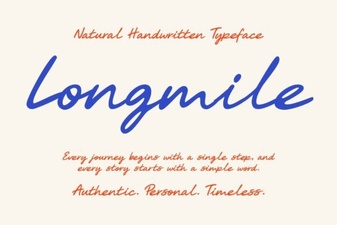 Longmile Font for Modern Ui Design and Projects
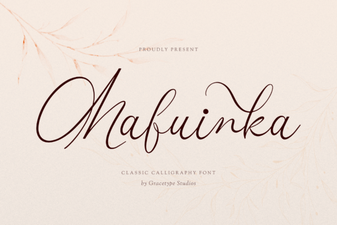 Mafuinka Font for Modern Graphic Design Projects
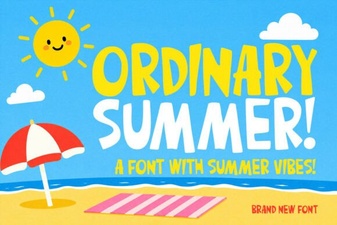 Designing with the Ordinary Summer Font Collection
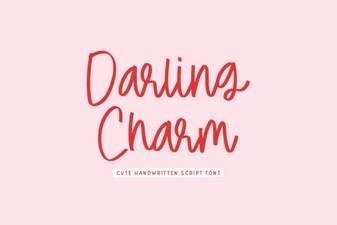 The Darling Charm Font for Creative Projects
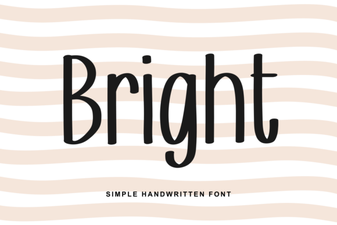 Elevate Your Designs with Bold and Bright Fonts
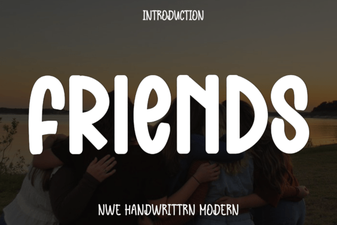 The Friends Tv Show Font for Your Designs